Prepare your lessons on the official curriculum. Even with no network in class.
Lesson plans, tests with answer keys, mock exams in the exam's own format, multiple-choice marking by photo — from nursery school to the Baccalauréat and the GCE. Inside the GO4SCHOOL app.
I am…
Once open: 3 AI actions free every day, no subscription, no card.
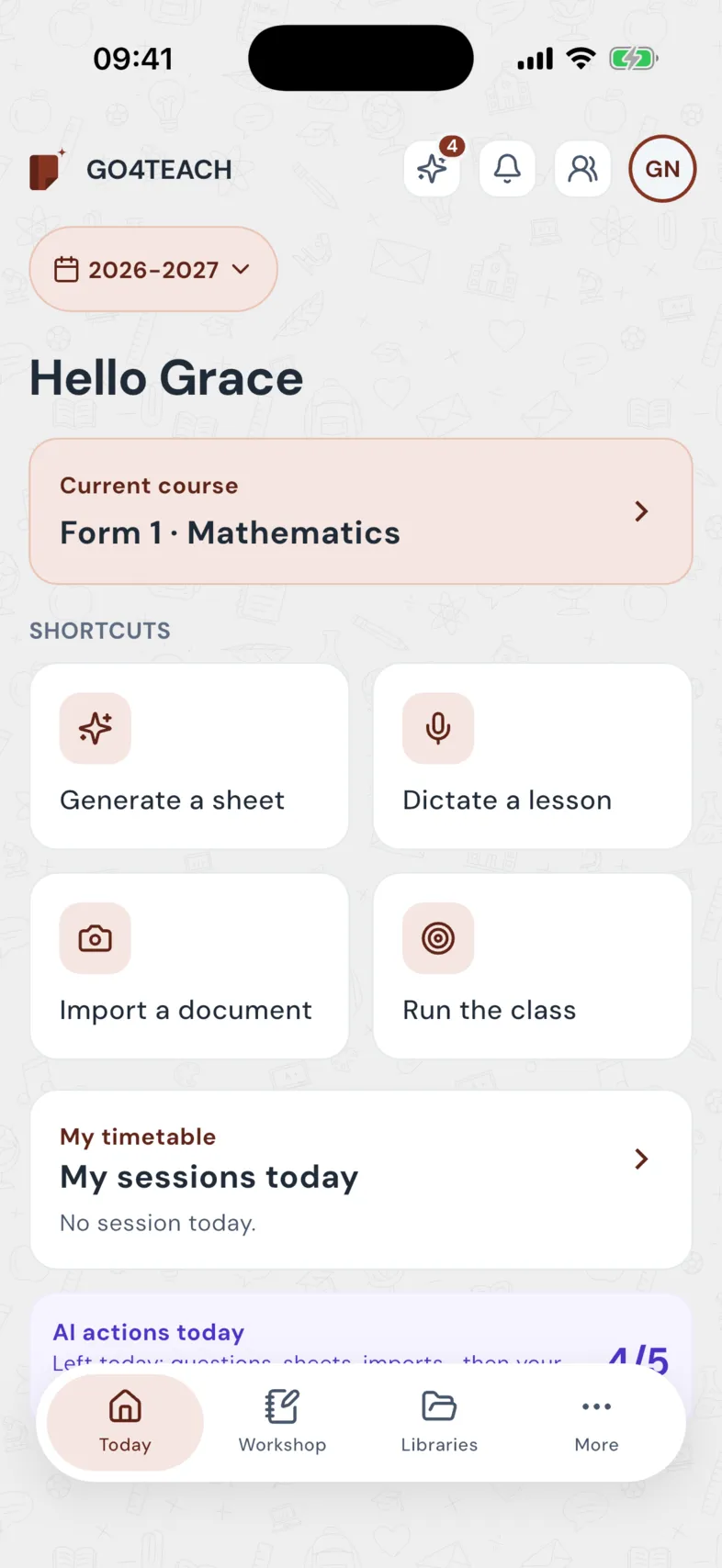
- Your class's official curriculum
- Nursery, primary and secondary, francophone and anglophone
- In class, with no network
- One GO4 account
- In French or in English
A teacher's year, from the first day to the exam.
Tomorrow's lesson plan, ready tonight.
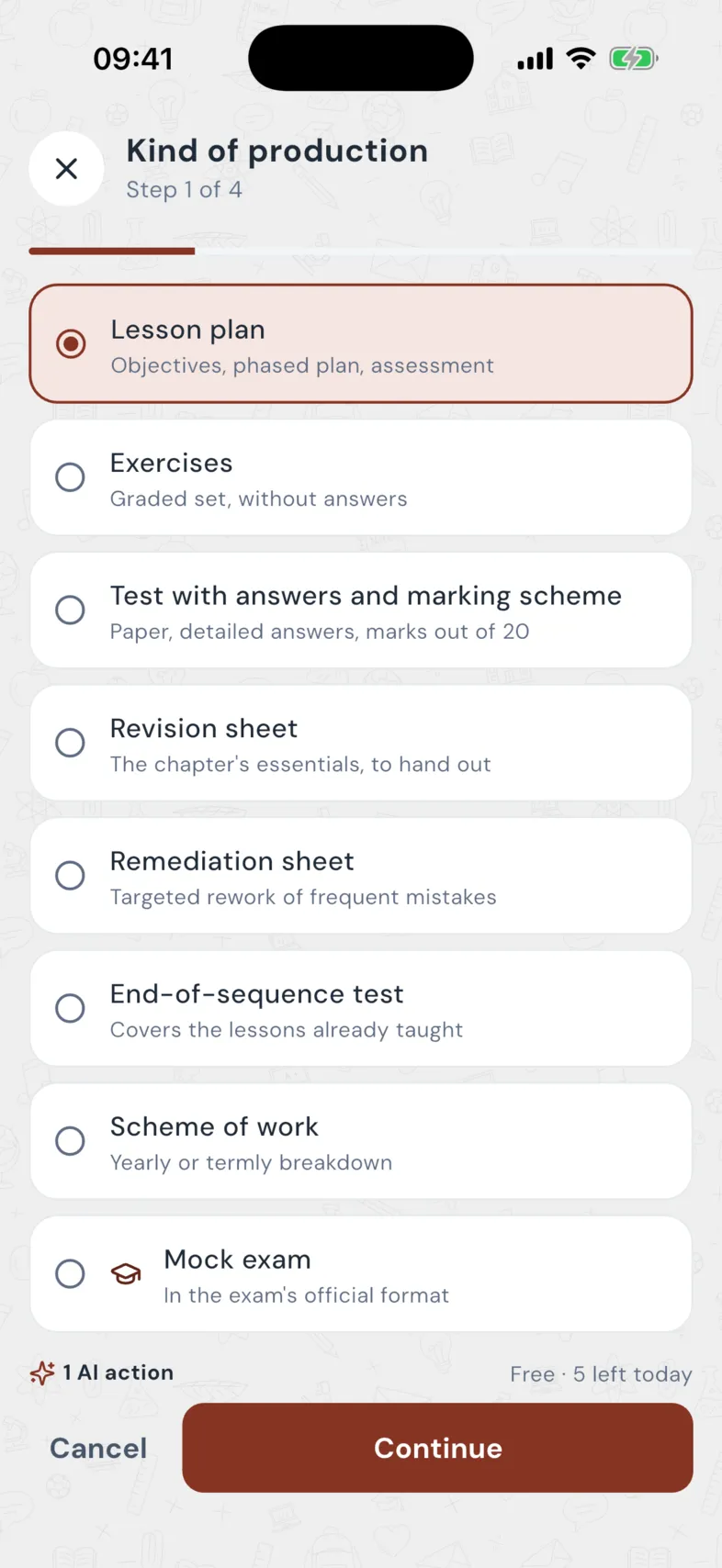
You pick the class and the chapter; the length, the class size, having no printer are part of the request. The plan comes structured: objectives, prerequisites, phases, assessment.
- Eight kinds of document: lesson plan, exercises, test with answer key and marking scheme, revision sheet, remediation, end-of-unit test, scheme of work, mock exam.
- Dictate a lesson: the phone listens, you read the text over before anything is sent.
- Photograph a document: an old lesson plan, a textbook page, your scheme of work; the AI reads it, you approve it.
- Today's lesson plan in nursery and primary, taken from the monthly scheme.
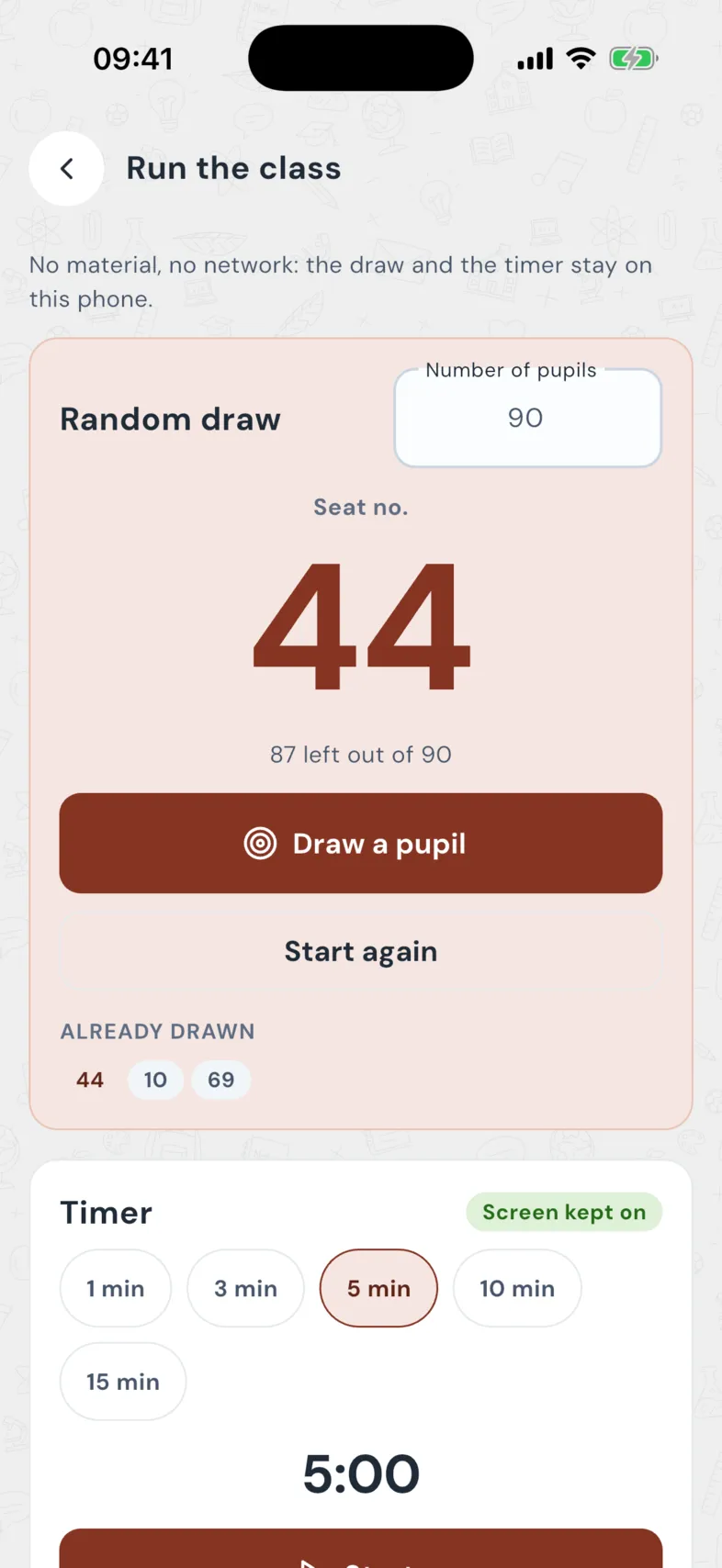
Made for a class of 90, with no network.
The phone becomes the lesson's tool, even with no connection and no equipment.
- Run the class: random draw by seat number, a timer that keeps the screen on.
- Level groups (TaRL method): a 5-minute test, levels noted by seat number, groups and peer tutors. No names, no marks.
- Read in class: your lesson plans stay readable with no network.
- The lesson log fills in with what you have taught.
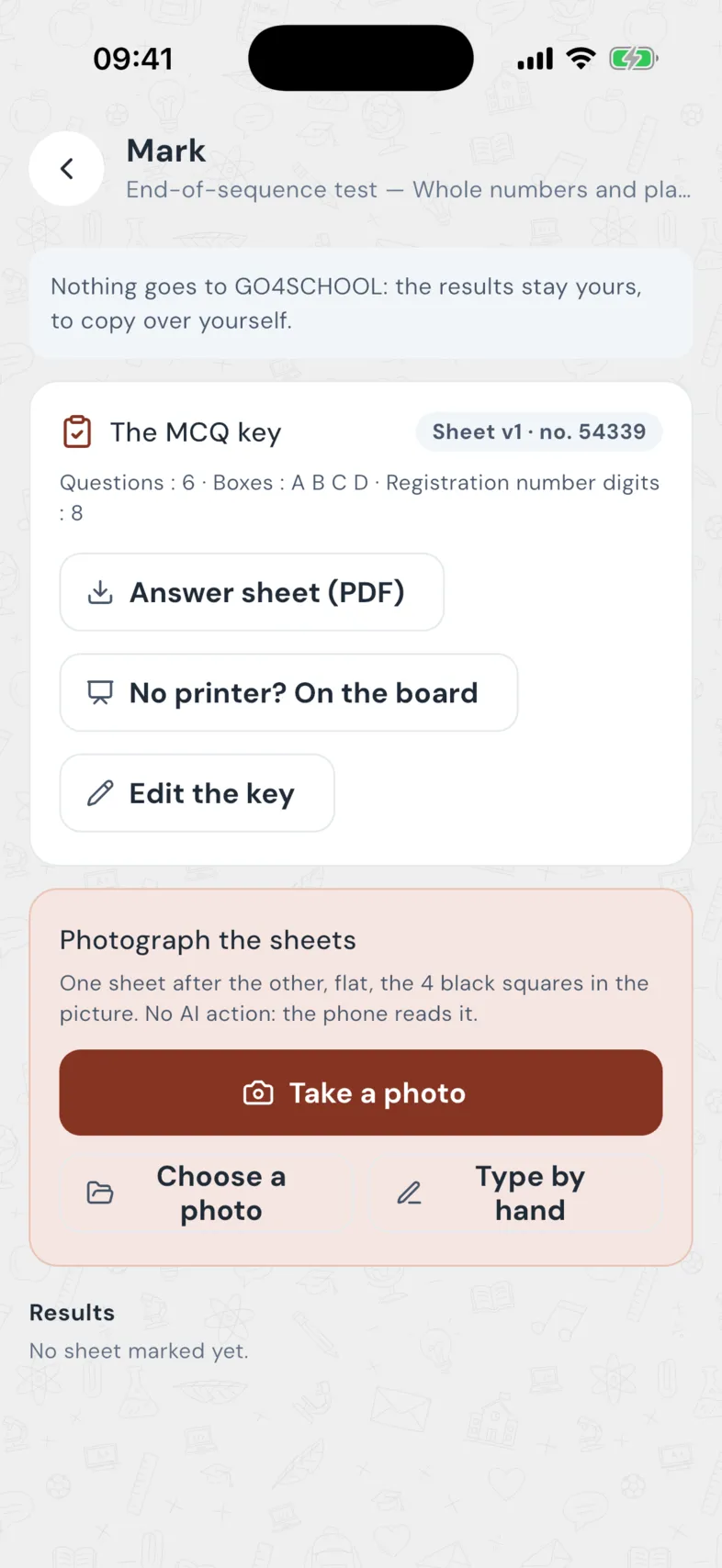
Mark by photographing the scripts.
Print the multiple-choice answer sheet, photograph the scripts: the phone reads them, with no AI action. You see straight away which topics the class missed, and the remediation is one tap away.
- No printer? The sheet can be copied on the board.
- Marking codes to comment on written scripts.
- « See what they missed »: the questions failed by more than 40% of the class, then a targeted remediation sheet.
- Nothing goes into the report card: the results stay yours.
Finish the curriculum, prepare the exam.
GO4TEACH knows where you are, and how many weeks are left.
- Mock exam in the exam's official structure (BEPC, Probatoire, Baccalauréat, GCE…), on the chapters already taught only.
- Curriculum coverage: what is done, what is left, worked out from your scheme of work and lesson log, with no AI. Visible to you alone.
- Catch-up plan week by week when time runs short.
- My exam papers: your past papers split into exercises and filed by chapter.
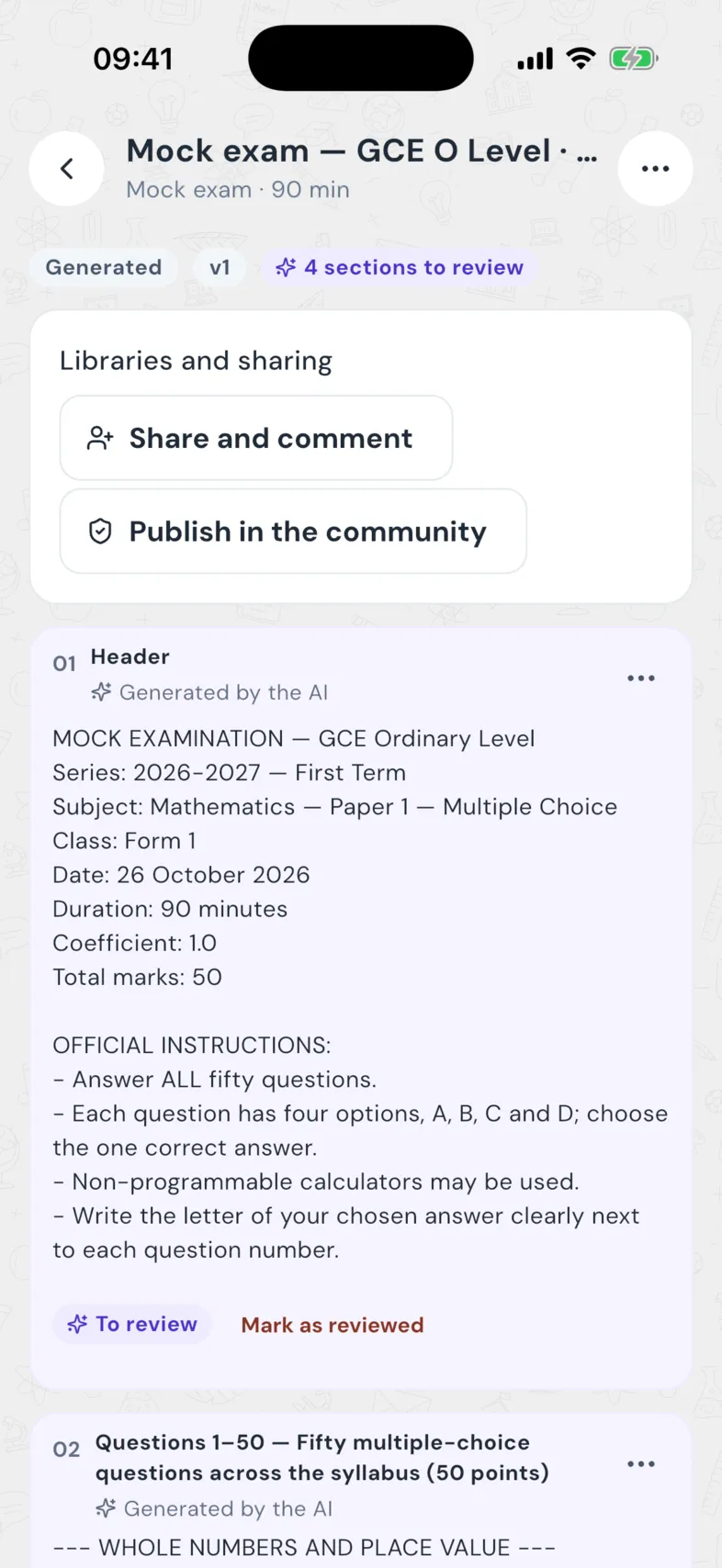
Nothing reaches the class without your review.
Sections « to review »
What the AI wrote is flagged; the mark goes as soon as you edit.
Sources shown
The curriculum and your documents used, named on the plan.
Section by section
Rewriting by hand is free; regenerating a section is one action.
Versions, PDF, Word
Every change is a version; the plan leaves ready to print.
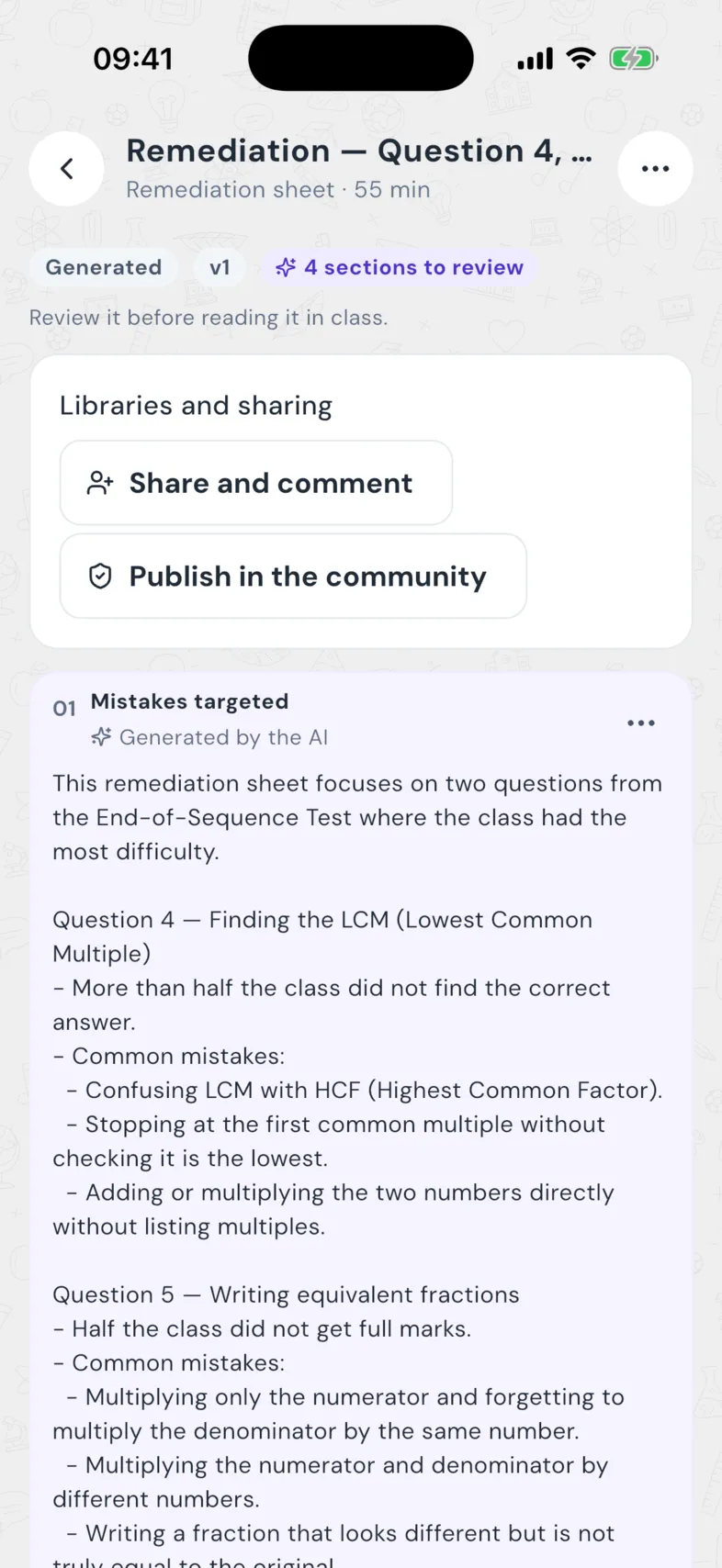
What works gets shared.
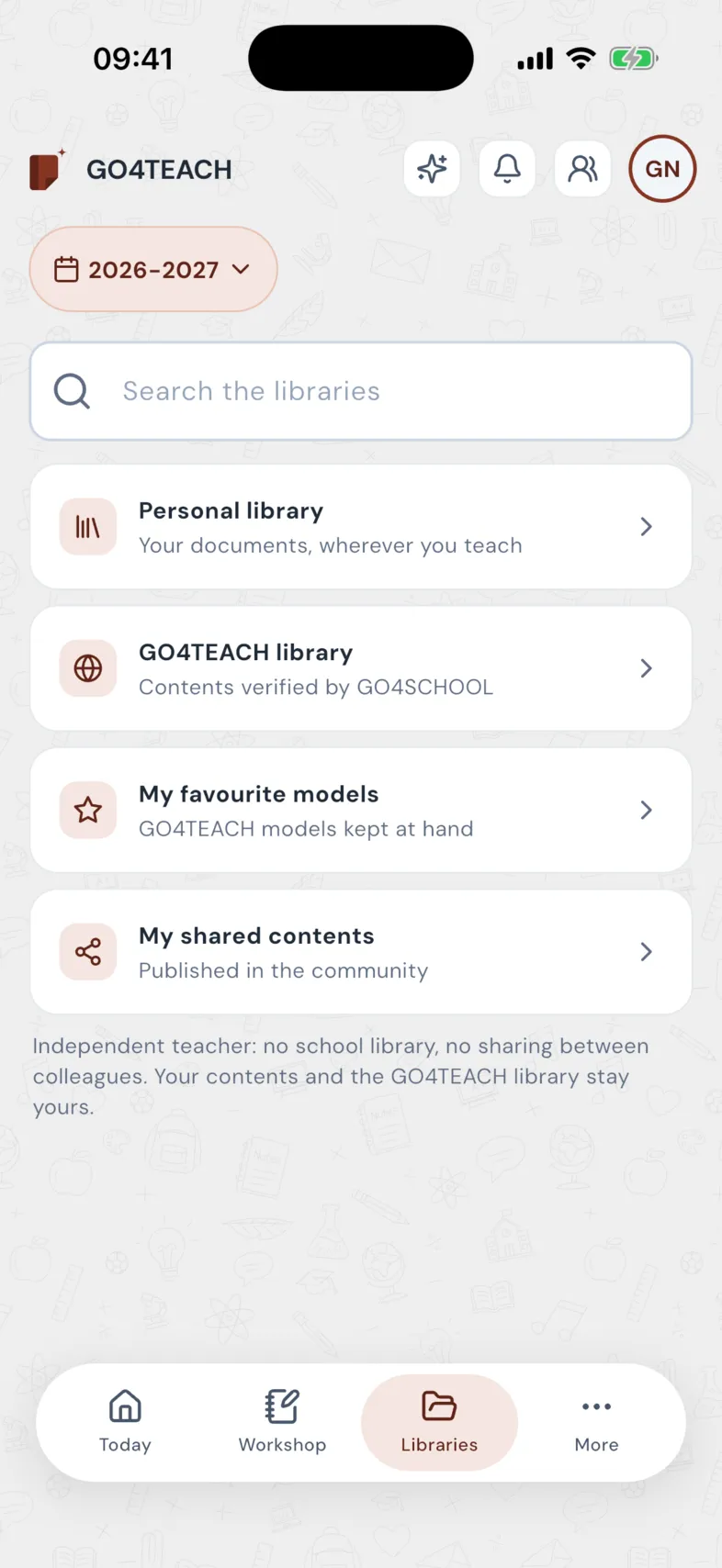
- Three libraries: yours, your school's, and the reviewed GO4TEACH library.
- Share and comment between colleagues; publish to the community after review, never directly.
- The staff room: your colleagues' highlights for 24 hours, to send on WhatsApp too.
- Six mini-trainings of 10 to 18 minutes: learning objectives, marking schemes, differentiation, assessment, responsible use of AI.
The same account. Your classes, your timetable, your scheme of work: already there.
GO4TEACH is open to the school's teachers unless the direction closes it. You find your classes, your timetable, the school's scheme of work and lesson log without typing anything again.
Sign in with my GO4 accountIncluded in GO4SCHOOL
Open to the teachers by default; the direction can close it from its space.
The school can pay for the AI
A monthly quota of actions per teacher, from its GO4SIA balance.
Never your marks
GO4TEACH touches neither the school's marks nor its report cards.
Your documents follow you
Your preparations stay yours, even if you change school.
Find your past years
Year by year, your classes, the terms and the schemes of work; you tick what you take.
A school group = one school
You tick the schools you teach in; a request goes to each one.
You pay for the AI, not for a subscription.
No trial period, no subscription: 3 free AI actions every day, then AI tokens as you go.
Free
3 AI actions
every day, with no time limit
- All your classes and the official curriculum
- Writing by hand, exporting, sharing
- Marking by photo, level groups, curriculum coverage
AI tokens
As you go
top-ups by MTN Mobile Money or Orange Money, never renewed automatically
- Used after your 3 actions of the day
- The operator's fees shown before you pay
- Your tokens follow you from one school to the next
With GO4SCHOOL, GO4TEACH is open to your teachers.
GO4TEACH is included in GO4SCHOOL and open to your teachers by default; the head can close it. The head can also pay for their AI actions from the school's GO4SIA balance, within a monthly quota per teacher.
- Monthly AI action quotas per teacher
- Teachers' requests to join handled by the head
- A group's GO4SIA balance pays for its schools
- The GO4TEACH teachers of your city told when your school joins GO4SCHOOL
The essentials before you start
In GO4TEACH, how often can I use the AI for free?
Every teacher has 3 free AI actions a day. Everything the AI does counts as one action: a question to Juju in « Ask a question », a regenerated answer, a sheet, a test or a scheme of work generated, a section regenerated, a sheet transformed, a document read at import. What you write yourself, export and sharing are free. There is neither a subscription nor a time-limited trial. The counter at the top of every page shows what is left, and « My AI history » lists every action and what paid for it; it goes back to 3 every day at midnight. An action the AI failed is given back. Beyond, the AI goes on with your AI tokens: top them up in « AI credits »: three top-ups at 1,000, 2,500 and 5,000 FCFA incl. tax, to take once or several times (also shown on the site's « Prices » page; payment by MTN Mobile Money or Orange Money, the operator's fees show before you pay). Once GO4TEACH has validated the payment, the tokens are credited and the invoice is available.
My school uses GO4SCHOOL: how do I link GO4TEACH without typing everything again?
If your account is a teacher in the school, « My classes » offers your GO4SCHOOL courses. A class you ran alone links to its course through a proposal: a preview shows what will be carried (students found by registration number, scheme of work, lessons ticked, class log), then the direction accepts all of it, a part, or refuses and says why — nothing changes at the school before its decision. You follow your proposals in « My schools » and can withdraw one that waits; if it is refused, your version stays with you. Once accepted, the school's version is the reference. Afterwards there is a single source: what you enter in GO4TEACH shows in your GO4SCHOOL space, and the other way round. The log of a school session follows GO4SCHOOL's rules: it is written once the session has started, never in a class taking attendance by the day (primary, nursery), and only its author changes it. The link breaks by itself if you no longer teach that course: you keep your documents, and the class goes back to its own student list.
What is « Find my schools » in GO4TEACH?
A five-step path, opened right after the sign-up, then at the first opening of each new school year, and at any time from « My schools ». 1. Your schools: where you teach or taught, several possible; a GO4SCHOOL school whose active teacher record carries your account is found by itself; search for the others and ask for the attachment. 2. What we found: for each school, year by year, your classes and courses (substitutions included), the cutting of the year into terms and sequences, and each course's scheme of work or the monthly plan in primary, with the lessons done; you tick what you take. 3. A past year (2025-2026 for instance) is kept as it was, and a copy makes the base of the current year: the same classes and subjects, your own copy of each scheme of work, every lesson to do again. 4. If you had already typed data, each difference is shown (cutting of the year, class, scheme of work): what comes from the school prevails by default, « Keep mine » keeps your version, and the school is never changed by this choice. 5. The summary, then « Start the takeover »; for the year open at the school, « Synchronise live » links your classes to the school (off, you get a copy of your own). Every step can be skipped. If the school has assigned you no course yet, « Tell the school » warns the direction (once a day at most); if the school closed GO4TEACH, you go on alone. Your grades and the school's report cards never come into GO4TEACH.
In GO4TEACH, how do I generate a lesson plan?
Open « Generate » (or the « Generate » button of a lesson of your scheme of work, of the daily sheet, or the « Generate a sheet » card of the app). Choose what you want: lesson plan, exercises, test with answers and marking scheme, revision or remediation sheet, end-of-sequence test, scheme of work, board-and-chalk games (row relays, team quiz, stand-up/sit-down true or false) or a mock exam in the exam's own format. The planned lesson is offered by default; set the duration, your classroom conditions (no connection, no printer, class of 80…) and the language (French, English or bilingual, translated instructions, simplified language). A generation counts as one AI action, given back if it fails or you cancel it. The sheet arrives in under a minute, section by section: each stays « To review » until you mark it reviewed. A sheet already generated is found on its lesson (« See the sheet ») and on the home page. In « Settings », your school, experience, real class size and classroom conditions make the sheets closer to your class.
In GO4TEACH, how do I mark an MCQ from photos?
Open a ready evaluation, then « Mark ». Check the MCQ answer key: GO4TEACH takes it from the evaluation's key when it writes it as « 1-B, 2-D », you adjust the number of questions, of boxes per question (A to E) and of registration-number digits, then « Save the key ». Print the answer sheet (one page per pupil): the pupil fills in the digits of their registration number and one box per question. Without a printer, copy the suggested text on the board: pupils answer on half a sheet and you type their answers in the app. The sheets are photographed in the GO4SCHOOL app (camera or gallery), even offline: it reads the boxes, flags a doubtful box for you to decide, flags a sheet printed for another version of the key, then shows each sheet's score, a table by registration number and the success rate per question, to export as a PDF. Reading the photos costs no AI action.
GO4TEACH on a phone: dictate a lesson, read in class, work offline?
In the GO4SCHOOL app (GO4TEACH's Account tab). « Dictate a lesson »: say when, what, which class and how long; you read the text again, the app shows what it understood (class, lesson of your scheme of work, duration) and names what is doubtful — then choose the duration. Nothing is counted before sending; the sheet costs one AI action. « Read in class » opens a fully reviewed lesson sheet: one phase per screen, its timer against the planned minutes, the screen kept on, larger text if needed. « On this phone »: the year's lesson sheets stay readable offline; a dictation or a generation asked offline waits in the queue and leaves when the network is back, the AI action taken then, not before.
GO4TEACH 3 AI actions are waiting for you every day. Your first lesson plan takes a minute.
Your next lesson,
ready tonight.
An account in a minute. No subscription, no card.

GO4TEACH is inside the GO4SCHOOL app
No extra app to install: download GO4SCHOOL, then open GO4TEACH with the same account. On the web, everything happens on this site.
